Motion Gaming Console: How It Works, Features, Benefits & Buying Guide
Direct Answer
A motion gaming console lets players use their own movements to play games instead of relying only on buttons or a joystick. A camera or motion sensors pick up actions such as jumping, leaning and swinging an arm, then turn them into on-screen commands. The experience varies by console: some track the whole body; some use handheld controllers. Motion gaming can add movement to indoor play and give families another way to play together. Before buying, check the game library, tracking, room space, privacy, internet needs and ongoing costs.
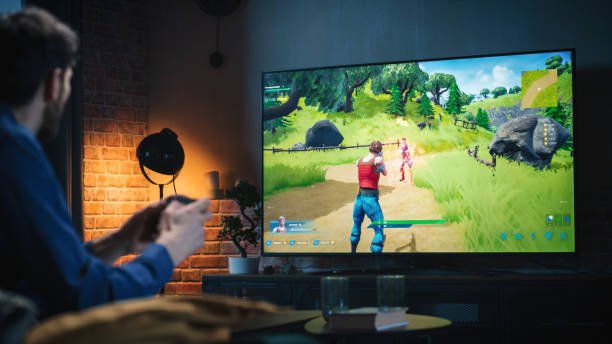
Home gaming does not always have to mean sitting with a controller. A motion gaming console brings physical movement into the game, so players can jump, lean, dodge or swing an arm to guide what appears on the television. Traditional games usually respond to buttons, joysticks or touchscreen inputs; motion-based systems read the player’s actions through a camera or sensors. The exact experience depends on the console: one model may track the whole body, while another reads movement from a handheld controller. This guide looks at how the technology works, the types of systems available, the features worth checking, and the benefits of motion gaming. It also covers what to consider before choosing a console for home use.
What Is a Motion Gaming Console?
A motion gaming console reads body movement and turns it into commands. A jump can make an on-screen character leap; leaning may steer it around an obstacle, and an arm swing can trigger a hit. The system detects the action through a camera or sensors built into a handheld controller. The term motion games console covers both approaches, though the playing experience differs. Camera-based models can track body movement, while controller-based models follow the movement of the device.
Physical Movements Become Game Controls
Each game recognises a set of actions. One may ask players to duck, squat or step sideways; another may use reaching or swinging. The controls depend on the game; each title recognises only specific actions.
Motion Gaming Is Different from Traditional Controller-Based Gaming
Traditional gaming relies on buttons, joysticks and triggers. A camera-based system can read movement without a player holding anything, leaving both hands free. Motion-controller systems still require a handheld device, even though players tilt, swing or point it rather than relying on buttons alone.
How Does a Motion Gaming Console Work?
A motion gaming console uses a camera or movement sensors to recognise physical actions and turn them into game commands. The technology detects how a player moves, interprets the action and sends an instruction to the game. The process depends on the type of console and its tracking hardware.
Cameras Capture the Player’s Movements
The camera faces the player and records their movements as a series of images. The console then examines the images to work out where the person is standing and how their body position changes during play.
Camera placement can affect how well the system follows a player. A chair blocking the view, dim lighting or standing too far to one side may cause some movements to go unnoticed. Depth-sensing cameras go a step further and measure the player’s distance from the device. Microsoft’s Kinect used this type of camera tracking to read body movements during games.
Motion Sensors Recognise Movement and Position
A motion sensor game console can have small sensors inside its handheld controllers. Two of the main components are:
- Accelerometer: Picks up changes in the controller’s speed and direction as the player moves it.
- Gyroscope: Detects when the player tilts, turns or rotates the controller.
Nintendo Switch Joy-Con controllers contain both sensors. Players can swing, tilt or rotate them to control supported games. Unlike camera-based full-body tracking, these sensors primarily follow the movement of the controller itself.
Computer Vision and AI Interpret Physical Actions
Computer vision lets a console read images from its camera and work out how a person is moving. It can recognise body positions and follow changes as the player jumps, bends or moves sideways.
The console processes the camera data and works out which movement matches an action in the game. Some newer models have a Neural Processing Unit (NPU) for AI tasks. When all this analysis takes place inside the console rather than on a remote server, it is called edge AI. The system can recognise ordinary player movements without sending camera data to the cloud.
The Game Responds to the Recognised Movement
Once the console picks up a movement, the game reacts to it. Jumping may make a character clear an obstacle, or swinging an arm may hit a target. If the action takes too long to appear on screen, the player may struggle to keep up with the game.
A game console with motion sensors may use several components to track movement. The table below shows how the main technologies differ:
| Technology | How it works |
|---|---|
| Camera tracking | Uses images to recognise body movements |
| Accelerometer | Measures acceleration and movement changes |
| Gyroscope | Detects rotation and changes in orientation |
| Depth sensing | Estimates distance and position in three-dimensional space |
What Are the Different Types of Motion Gaming Consoles?
Motion gaming systems use different technologies to recognise player movements. The main difference lies in what the device tracks: the player’s body, a handheld controller or movement inside a virtual environment.
Camera-Based Motion Gaming Consoles
These systems use cameras and computer vision to follow body movements. Players can jump, lean, squat or swing their arms to control supported games. Handheld controllers are not required during gameplay. Nex Playground is an example of a camera-based motion gaming system that uses body tracking.
Motion Controller-Based Gaming Consoles
A motion sensor game console uses handheld controllers fitted with accelerometers and gyroscopes. These sensors detect tilting, swinging and rotational movements. Nintendo Switch Joy-Con controllers use this technology in supported games. Many motion sensor video game consoles rely on these sensors to translate controller movements into actions such as hitting, throwing or steering within a game.
VR Systems with Motion Tracking
Virtual reality systems track motion with a headset and motion-enabled controllers. Rather than watching the entire game on a normal TV, players interact with objects in a virtual environment. These systems offer a more immersive gaming experience, but have different space and equipment requirements.
The choice of motion gaming console depends on the desired gaming experience.
Which Features Should You Look for in a Motion Gaming Console?
A motion gaming console needs to respond properly to the player’s movements and offer games people will enjoy playing regularly. The camera, game library and room requirements deserve attention before purchase. A few details can make a noticeable difference to the experience.
Accurate Body and Movement Tracking
A player may jump, but the character on screen should jump at the same time. Check the camera’s working distance and whether it can pick up full-body movements. Poor lighting, blocked views or delayed responses can cause missed actions during a game.
A Varied Library of Motion-Controlled Games
A collection limited to one type of game may lose its appeal over time. Sports, puzzles, adventures, running challenges and arcade games offer different experiences. Check how many titles come with the console permanently. Some motion game console packages also include subscription-based libraries, so read the renewal conditions before buying.
Multiplayer and Family Gameplay
Player limits vary across individual games, even on the same console. Check the available solo, cooperative and competitive modes. Family games can be more enjoyable when parents and children have suitable options to play together.
TV Compatibility and Easy Setup
An HDMI connection, suitable power supply and correct camera placement are basic requirements. Measure the available playing area against the manufacturer’s recommended distance. A small room may not provide enough space for jumping and sideways movement.
Privacy, Offline Access and Parental Controls
Read the privacy policy before buying a camera system. Learn how footage is processed. Check for open chat, ads and content restrictions. Also, note the difference between playing offline and needing internet for registration, downloads or updates.
What Are the Benefits of Motion Gaming?
The amount of movement in a motion game depends on what the player has to do. An obstacle game might require a child to step sideways, crouch under barriers and jump over objects. A target-based game may involve repeated reaching and arm swings. These actions get the player away from a seated position. A game controlled by occasional hand gestures, however, involves much less physical activity.
A motion gaming console can bring a few practical changes to home entertainment:
- More opportunities to move: Games that involve repeated jumps, squats and sideways steps add physical activity to time spent gaming.
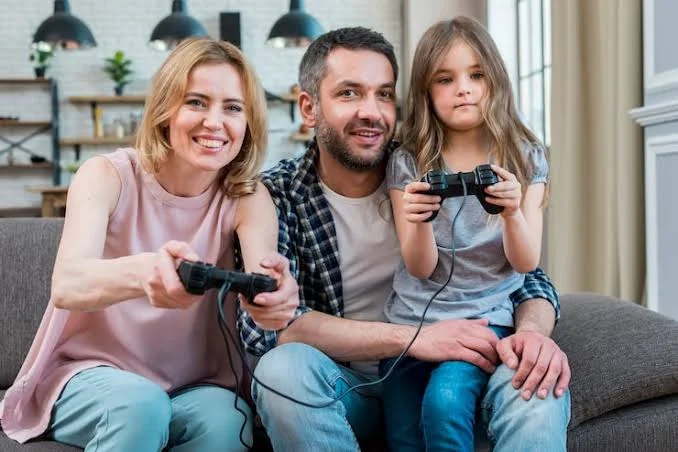
- Shared play at home: Parents can join children in local multiplayer games. Siblings can take turns, compete for scores or work through the same challenge.
- Putting quick reactions into practice: Children may have to move aside, reach forward or jump as soon as something appears on screen. Each game brings its own movement challenges.
- Keeping indoor play interesting: A motion games console gives children another activity to turn to when they cannot spend time outside.
A September 2026 review of 12 studies found that children aged eight and below were more physically active when they took part in exergaming. Researchers also noticed improvements in cognitive flexibility. The same results were not seen in every area; gross motor skills, working memory and inhibitory control showed no significant improvement.
WHO recommends an average of 60 minutes of moderate-to-vigorous physical activity each day for children aged 5–17. An active video game can contribute to this daily activity, but children still need time for sports, outdoor play and other physical activities.
How to Choose the Best Console for Motion Games?
A console may look impressive in a product listing, but its everyday use depends on a few practical details. Check the way it tracks movement, the games included and the space needed to play. These points matter more than a long list of technical features.
Match the Tracking Technology to Your Playing Style
Camera-based systems track body movements through a camera. Players can jump, squat or lean without holding a controller. A controller-based game console with motion sensor tracks the movement of a handheld device instead. Think about which experience feels more suitable for your household.
Check the Game Library Before Buying
Look at the actual game titles. A large advertised collection may include subscription-based games that require extra payment. Check age suitability, multiplayer options and the variety of available genres. Find out what happens to the games when a subscription expires.
Measure Your Available Playing Space
Check the manufacturer’s recommended camera distance. Leave enough room for players to jump, stretch their arms and move sideways. A room that feels spacious for one player may become crowded when siblings join.
Review Connectivity and TV Requirements
An HDMI port and a suitable power connection are basic requirements for TV-based systems. Read the setup instructions to understand when Wi-Fi is needed for downloads, registration and updates.
Compare Privacy, Warranty and Overall Cost
Read the camera privacy policy, return conditions and warranty exclusions. Add subscription renewals to the purchase price before deciding which is the best console for motion games.
The following points help to compare shortlisted models:
| Specification | What to examine |
|---|---|
| Tracking hardware | Camera or motion sensors |
| Game software | Included and subscription titles |
| Player support | Single or multiplayer |
| Tracking area | Distance and visibility |
| Connectivity | HDMI and Wi-Fi |
| Data handling | Privacy controls |
| Ownership | Price and warranty |
How Does Plazmo’s Motion Gaming Console Work for Kids and Families?
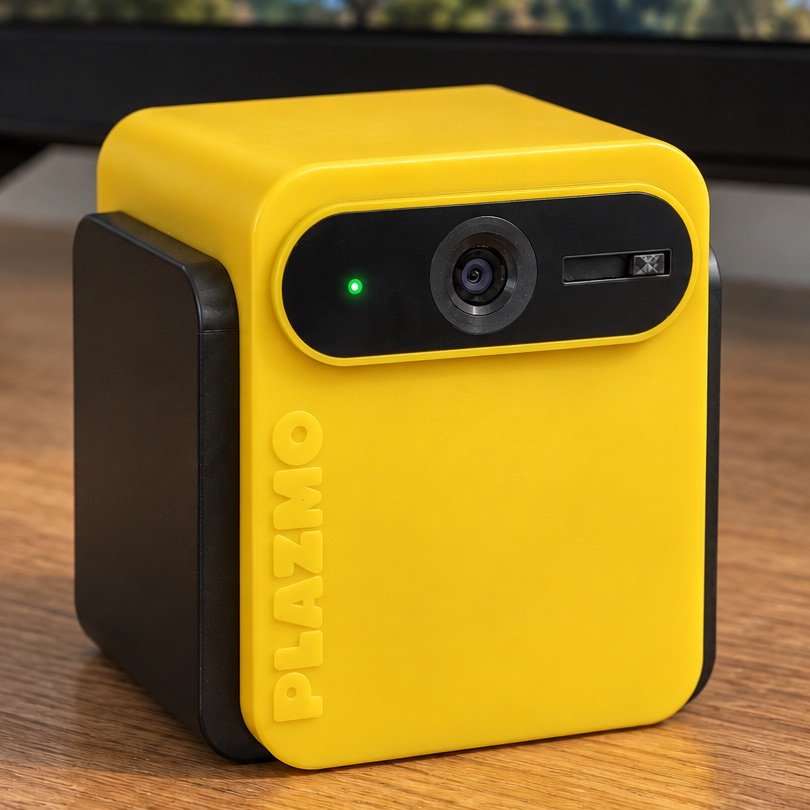
Plazmo is an India-built product developed by Kriyavers Private Limited. The Plazmo Motion Gaming Console uses a built-in camera, computer vision and an integrated NPU to recognise body movements. Children can jump, squat, lean and swing their arms to play without holding a controller. The included remote is used for menu navigation.
Ten Games Across Different Categories
The console comes with ten core games covering different styles of play:
- Running and movement: Catch Me If You Can, Run Rally
- Arcade and quick challenges: Astro Clash, Mole Smash, Ellie’s Bubble Pop, Fruit Splash
- Adventure and puzzles: Bruno’s Rescue, Buddy Bounce, Candy Factory
- Sports: GoalKee
Multiplayer and Family Play
Selected games support local multiplayer, with options for cooperative play and one-on-one matches. The number of players depends on the game. The package includes a one-year Game Pass for additional subscription content, while the ten core games remain available permanently.
Privacy and Basic Setup
Gameplay camera processing takes place on the device, and a physical cover is provided for the lens. Plazmo does not include an open browser, online chat or third-party in-game advertising. Core games can be played offline after initial setup and downloads; registration and updates may require internet access.
For the initial setup, connect the console to a TV through HDMI and leave around 2–3 metres of clear playing space in front of the camera.
Conclusion
A motion gaming console can change the way children and families spend time playing games at home. Before choosing one, look beyond the number of games advertised. Check how movement is tracked, which games are included, how many people can play and how much room the setup needs. Subscription charges, privacy settings and offline access also deserve a look.
The best console for motion games is one that suits your family’s space, budget and gaming preferences. If you are looking for a camera-based option with games built around physical activity, explore the Plazmo Motion Gaming Console and see if its features and game collection match what your family wants.